Css Selectors

CSS is all about targeting an element from the web page and styling it. CSS has two things selectors and declaration.
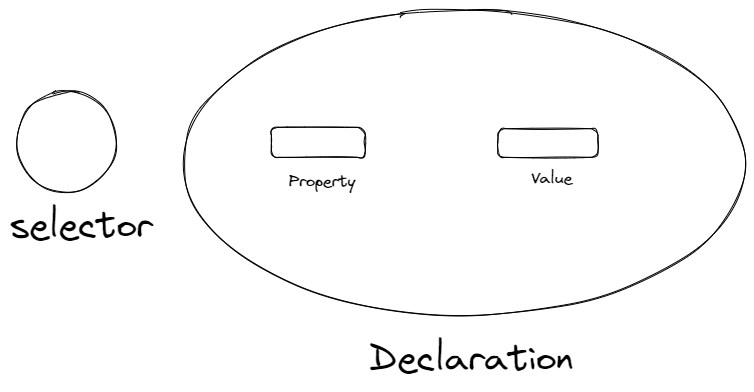
CSS Selectors:
- some of the important CSS selectors are as follows:
. Class Selector : indicates with (.) character, let center as class
.center {background-color: red;}
. ID Selector : indicates with(#),let warning as ID
#warning{background-color: blue;}
. Universal selector: indicates with (*),
                                * {
        background-color: #E8BD0D;
        color:  #6F00ED;
        padding: 2;
    }
. Individual selector:
p {background-color: green; }
. Chained selector:
studentname1.studentname2{ style properties }
. Combined selector :
element 1, element2, element3 .. { style properties }
Example
h1, span { background-color: #E1A2B8; }
. Direct Child : In a direct child, element names are separated by “>” which defines its hierarchy. As per syntax element1 is the parent, element2 is the child and element3 is the grandchild. It should exist in that sequence only as selected.
Syntax:
Element1 > element2 > element3 { style properties }
Example
form > ul > li {background-color: #ffffff;}
. Sibling + or Adjacent sibling Combinator :
Syntax
Element1 + element2 { style properties }
Example
                ul + p {
        background-color: #4d4d4d;
    }
.Sibling ~ or General Sibling Combinator : It also works similarly to adjacent siblings except we use ~. The element2 can come after subsequent children.
Syntax
Element ~ element2 { style properties }
Example
            p ~ div{
        font-family: 'Courier New', Courier, monospace;
        font-size: large;
        font-style: italic;}
PSEUDO:
.Before : It is usually used to add content before any element. So wherever we have used span element before that Test is added.
Syntax
Element1: element2: …::before{ style properties }
Example
             span::before{
        content: "Test ";

    }
.After: After the element style properties will be added. Here it's after the p tag.
Syntax
Element1: element2: …::after{ style properties }
Example
            p::after{
        background-color: blue;
        content: "Dummy";
        color: #CAD5E2;
    }
Hover :
Syntax
Element1:hover { style properties }
Example
              h1:hover{
        background-color: #115bc3;
        color: #CAD5E2;
    }

